One local memory for you and your agents.
Ziada keeps one memory on your PC, from your Claude Code sessions, your chat exports and the files you pick, and Claude Code can recall from it while you work. Timeline shows what you did, by time.
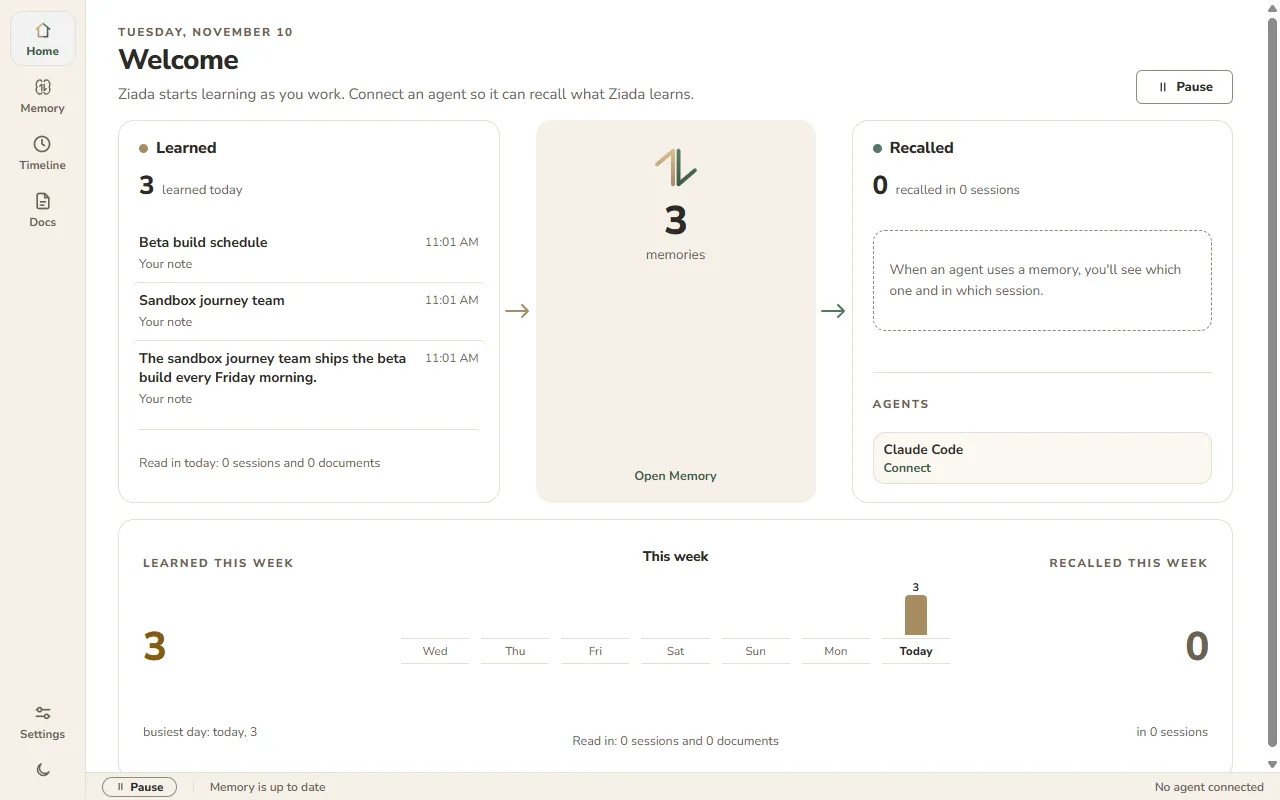
Your work goes in. Context comes out.
Ziada reads
Your Claude Code sessions (past ones with Import now, new ones once you turn reading on), chat exports from Claude, ChatGPT, Gemini and Instagram, and the files you pick.
Your memory, on your PC
Browse it, search it, edit it, add notes, and see every change in History. Models on your PC write it. Home and Timeline refresh on their own while they're open.
Your agents recall
Connect Claude Code and choose On, and it can recall from your memory during a session.
Built for the way you already code.
Pick up where you left off
Ask Claude Code about yesterday's fix, and it can recall what you worked out from your memory.
 Claude Code recalled Fixing VAD drift and The drift fix.
Carry it across repos
One memory covers every project, so what Claude Code worked out in one repo is there when it opens another.
Claude Code recalled Flaky upload test and Test helpers.Bring your docs along
Add your specs and notes, and turn their store On for Claude Code. It searches for the passage it needs, not the whole file.
Claude Code recalled Microphone permission step.See what Ziada knows, and change it.
Search your memory, open any memory to see where it came from, edit it, or add a note.
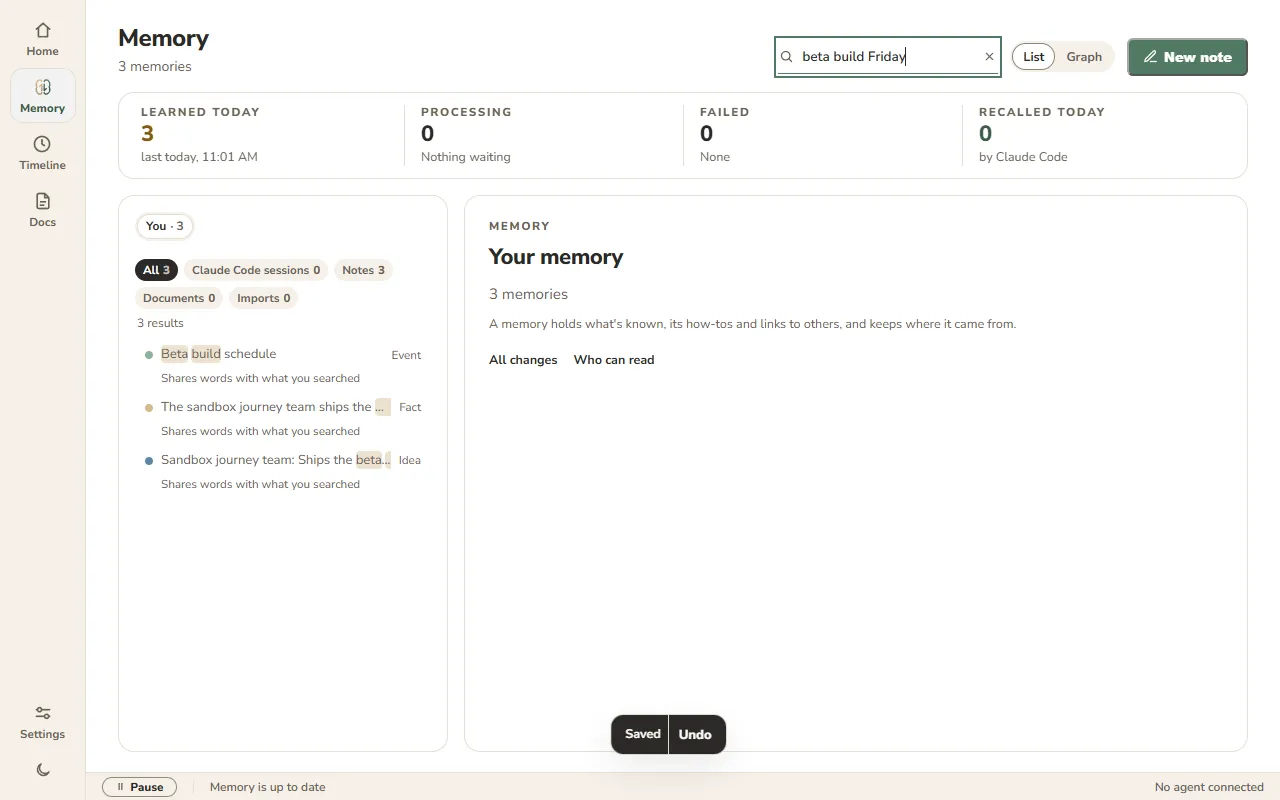
What's known, what's no longer true, what it's connected to, and where it came from.
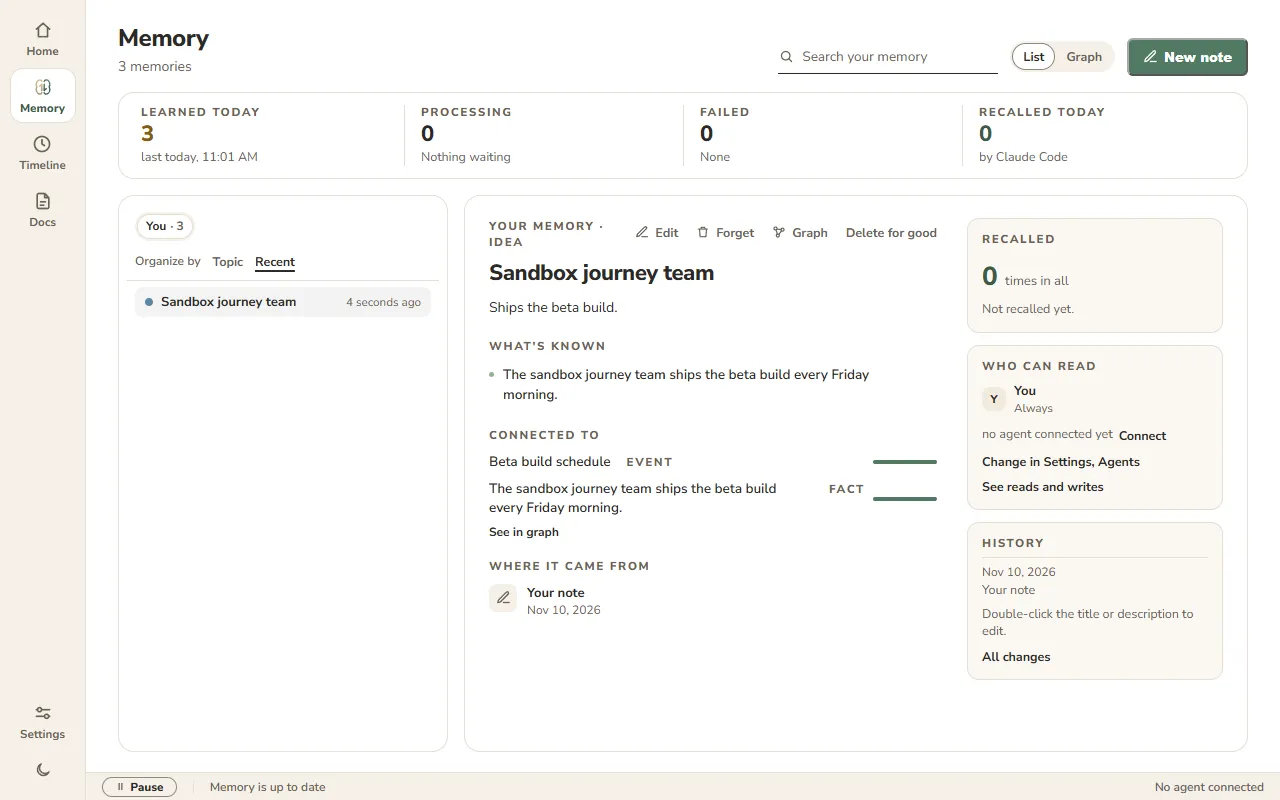
Only the files you pick, text or PDF. Keys and tokens in them are replaced before anything is stored.
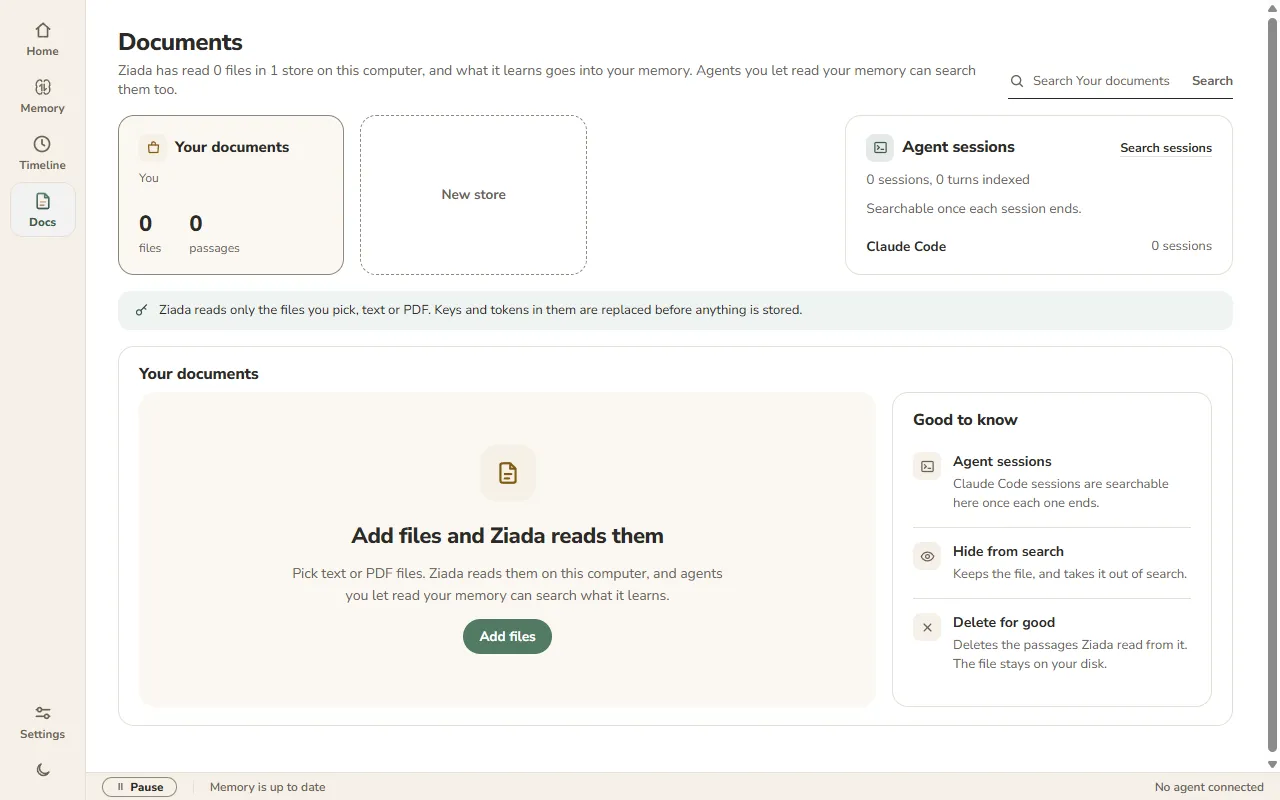
Your Claude Code sessions, notes, documents and imports as episodes, by time. Open what an episode taught in Memory.
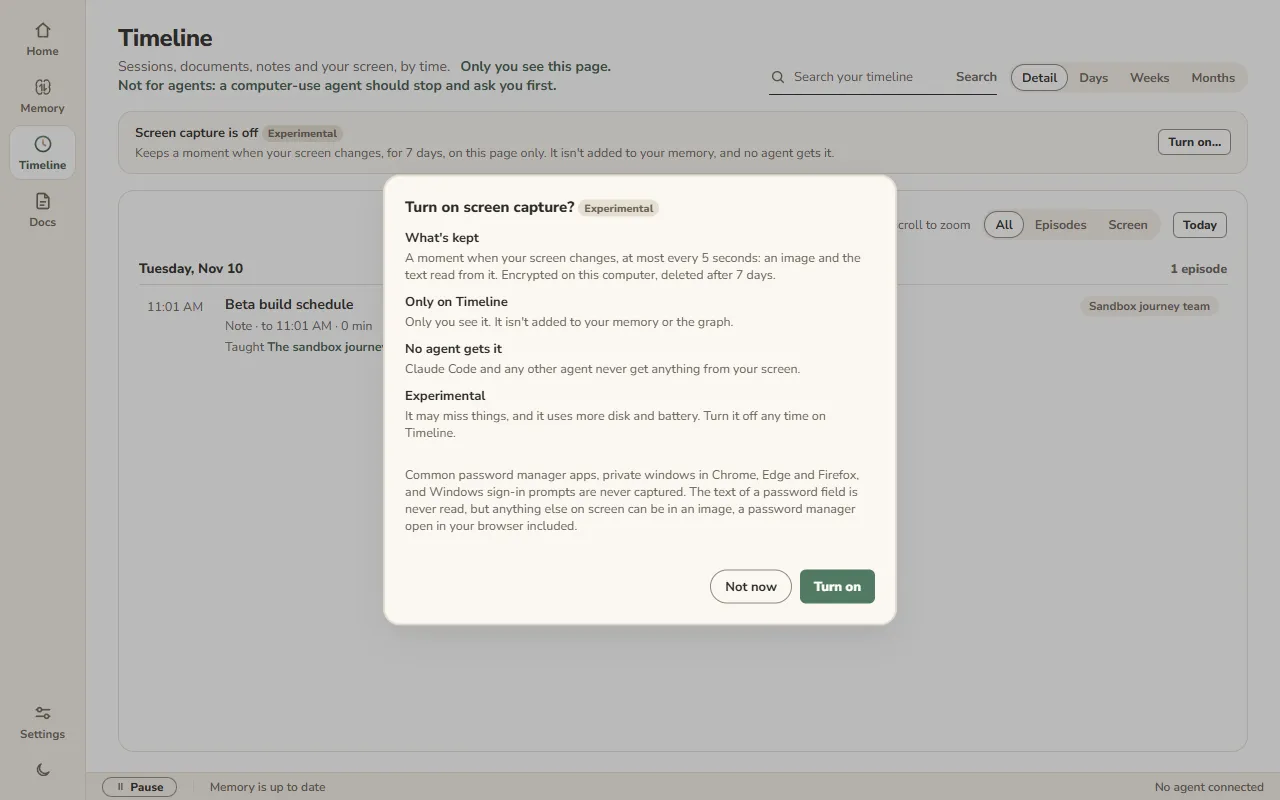
Screen capture is Experimental and off by default. You turn it on, on Timeline, after a warning that says what is kept.
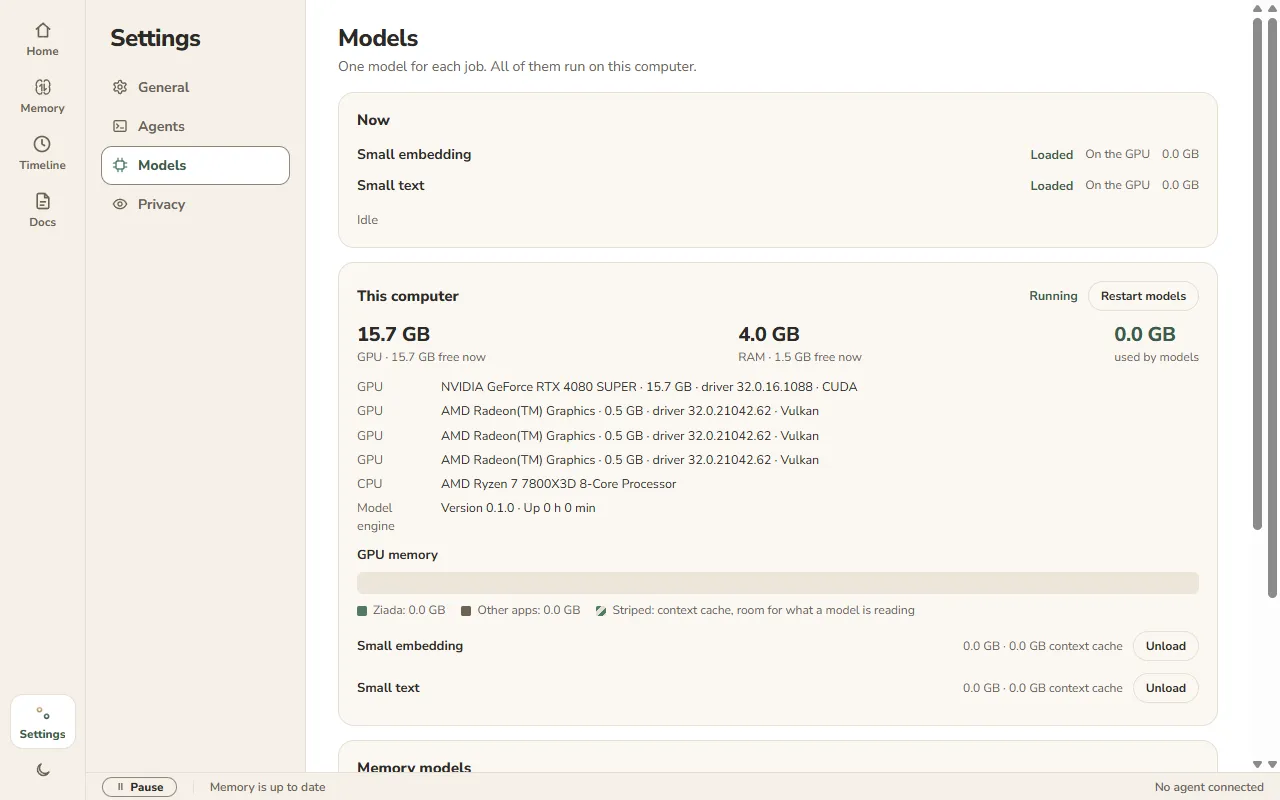
Every model runs on your PC. Ziada checks what fits before you download.
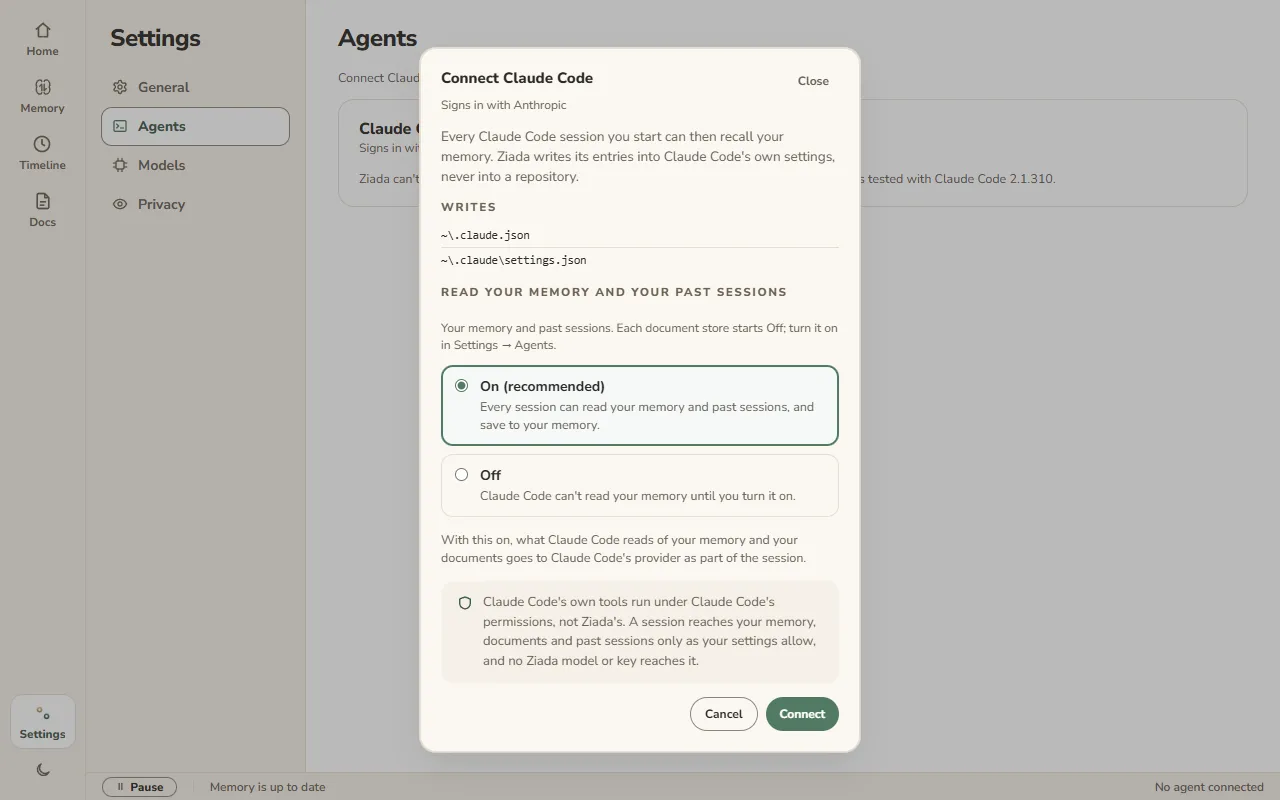
Connect Claude Code and choose whether it reads your memory. Ziada writes only into Claude Code's own settings.
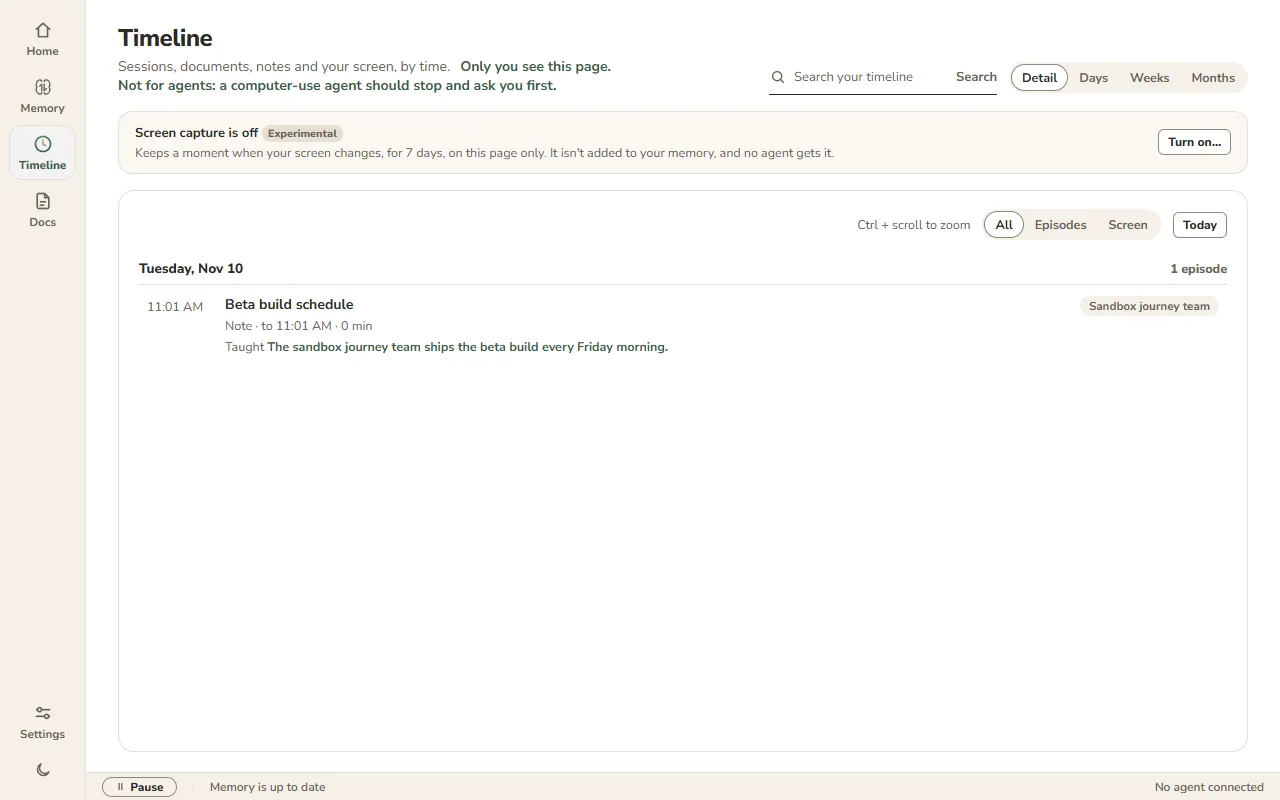
What you did, by time.
Timeline lays your Claude Code sessions, notes, documents and imports out as episodes, by time. Only you see this page.
Back into Memory
Each episode lists the claims it taught, and opens them in Memory.
Zoom out
Switch between Detail, Days, Weeks and Months, with Ctrl + scroll or the buttons.
Search it
Search your timeline and filter results by where they came from: Claude Code sessions, notes, documents or imports. Show All, Episodes or Screen.
Screen capture is Experimental, and off by default
You turn it on yourself, on Timeline, after a warning that says what is kept. While it's on, Ziada keeps a moment when your screen changes: an image, and the text read from the window and recognised in the image, on your PC.
Only on Timeline
Screen text never becomes memory. It isn't added to your memory or the graph, and Claude Code and any other agent never get anything from your screen.
Encrypted, kept 7 days
Moments are encrypted on your PC and deleted after 7 days. You can delete one, with Undo, or export them raw: that zip isn't encrypted, and Ziada says so first.
Some things are never captured: common password manager apps, Windows sign-in prompts, and any window of Firefox, Brave, Opera or Vivaldi. Chrome and Edge are captured only in a window Ziada reads as a normal window shown in English, so their private windows are skipped. Ziada's own windows are skipped too, unless you turn on Capture Ziada's own window in Settings, Privacy, which lets Timeline keep its main window. Ziada doesn't keep the text of a hidden password field. A password you show, with a site's Show password or Edge's reveal button, can be kept in the text and the image, like anything else on screen, a password manager open in your browser included.
Your memory stays on your PC.
Ziada builds and keeps your memory on this PC, with models that run here. It leaves only when you turn an agent On: what that agent reads goes to its AI provider, like the rest of the chat.
You choose what each agent reads
An agent reads nothing until you connect it and choose On. Then each agent has its own On or Off for your memory, past sessions and each document store. Document stores start Off.
Keys and tokens replaced
In your documents and imported sessions, before anything is stored.
Only what you pick
Of the files on your PC, Ziada reads into memory only the text and PDF files you choose, the chat exports you import, and the Claude Code folders you turn on. Your screen never goes into memory, even with screen capture on.
No usage data
This beta sends no usage counts.
Delete everything
Settings, Privacy, Delete my data erases your memory, documents, imported sessions and any screen moments from this PC. There's no backup.
Pause any time
The Pause button in the status bar stops session imports, reading sessions into memory and screen capture until you resume. It shows Pausing… until capture has stopped, and nothing captured since you paused is kept.
Works with Claude Code.
Connect writes Ziada's entries into Claude Code's own settings, never into a repository.
 Claude Code
Recalls and saves memories, and searches your past sessions and the document stores you turn On for it. Ziada reads its sessions from one or more Claude folders, each with its own switch and a list of projects you can leave out; while reading is on, each session is read when it ends. Subagent turns don't become memories. It never gets anything from your screen.
Before you install.
What does private beta mean?
Ziada is invite only for now. Testers install it by hand, and reinstall the same way to update.
What do I need?
Windows 11 on an x64 PC, plus 2 to 10 GB for a local model. A GPU helps but isn't required: Ziada checks what fits on your PC.
Why does Windows warn me about the installer?
The beta installer isn't signed yet, so Windows SmartScreen may stop it. Choose More info, then Run anyway.
What leaves my PC?
Your memory and files leave only when an agent you turned On reads them: what it reads goes to that agent's AI provider as part of the chat. Ziada itself sends no usage counts and none of your content.
Does Ziada watch my screen?
Only if you turn it on. Screen capture is Experimental and off by default: you switch it on, on Timeline. It keeps a moment when your screen changes, encrypted on your PC for 7 days, and shows it only to you on Timeline. It never goes into your memory, and no agent gets it.
Which chat exports can I import?
Claude and ChatGPT: the export's .zip or its conversations.json. From ChatGPT, Ziada keeps the current branch of each chat. Gemini: Google Takeout of My Activity in JSON, from a Google account in English; an HTML or non-English export is refused, with a line saying why. Instagram: request your download in JSON, unzip it, and pick the message_N.json files in it, several at once if you like; the .zip and the HTML download aren't accepted. Ziada keeps the text of each chat, not its images. Each import takes up to 256 MB of exports. A file that needs more than 1 GB of memory or 60 seconds to read is skipped, and the rest of the import goes on.
Is there a Mac version?
Coming to macOS.
Ziada is in private beta.
Invites open soon.